Recent versions of Firefox have introduced AI features like the sidebar chat and Ask an AI Chatbot. For these to work, you have to sign into an AI service that you’ve subscribed to. But, that doesn’t stop all of this being integrated into the user interface.
There are quite a few ethically-sound browsers, but not all of them have the features people want to use. There are times when using an ethical-but-lacking-features browser would be good enough - but switching back and forth between browsers is inconvenient and silly, so those browsers are mainly ignored.
I think sometimes the developers of such browsers are philosophically opposed to certain features that the average person isn’t willing or able to do without. Maybe sometimes they just don’t have the time or the skill for the hard parts.
For better or for worse, no other browser has the featureset of Firefox which makes it so comfortable for me to use. The way I see it, there are no good browsers; just some with better defaults and fewer features. As long as we need to use a browser and as long as there’s no company which fully aligns with privacy (at least Mozilla makes more of an effort than Google and Microsoft), you might as well choose the browser you’re most comfortable with and tweak it to your satisfaction.
Google has set the bar so low that I don’t actually think there’s much Firefox can do that would force me to switch browsers.
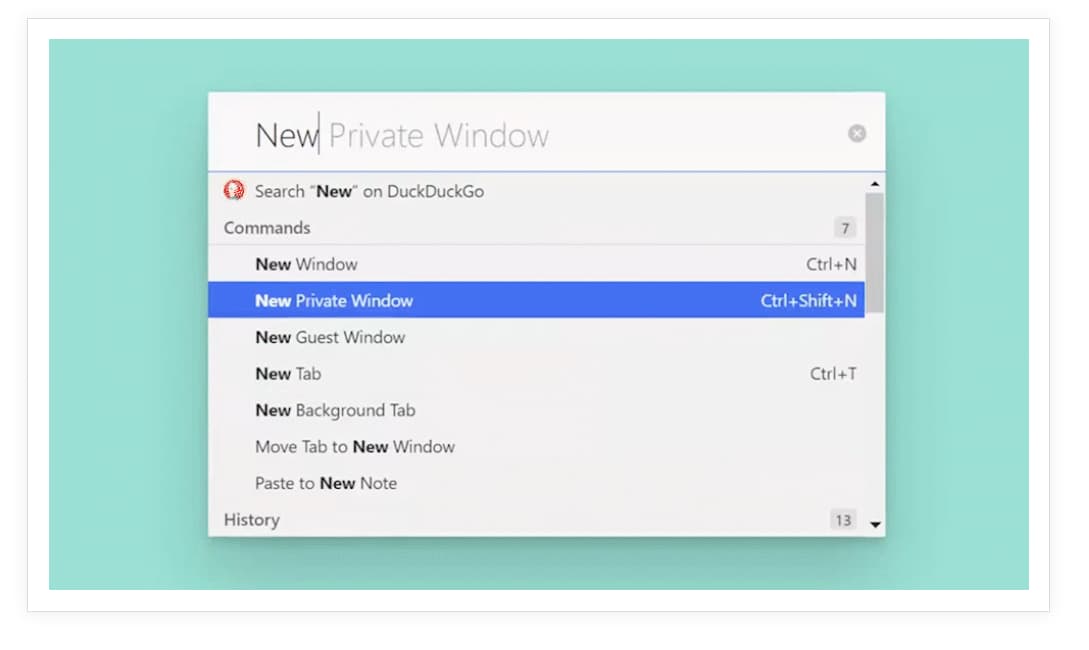
I have used Vivaldi (just gave it another try now). It has plenty of features, but I find the interface pretty confusing. It would take me ages to get used to it, and it would do lots of things differently from Firefox, even assuming it had all the features I want.
Vivaldi also has the disadvantage of not being open source.
I don’t mean to say that Firefox has the most features of any browser (Vivaldi certainly takes the crown there), but that it has all the features I care a lot about. Chromium browsers tend not to have the features I care a lot about. And on the other hand, there isn’t a single feature from another browser I want in Firefox that It doesn’t have already. Except for the security features, of course.